
Also available on iOS & Android
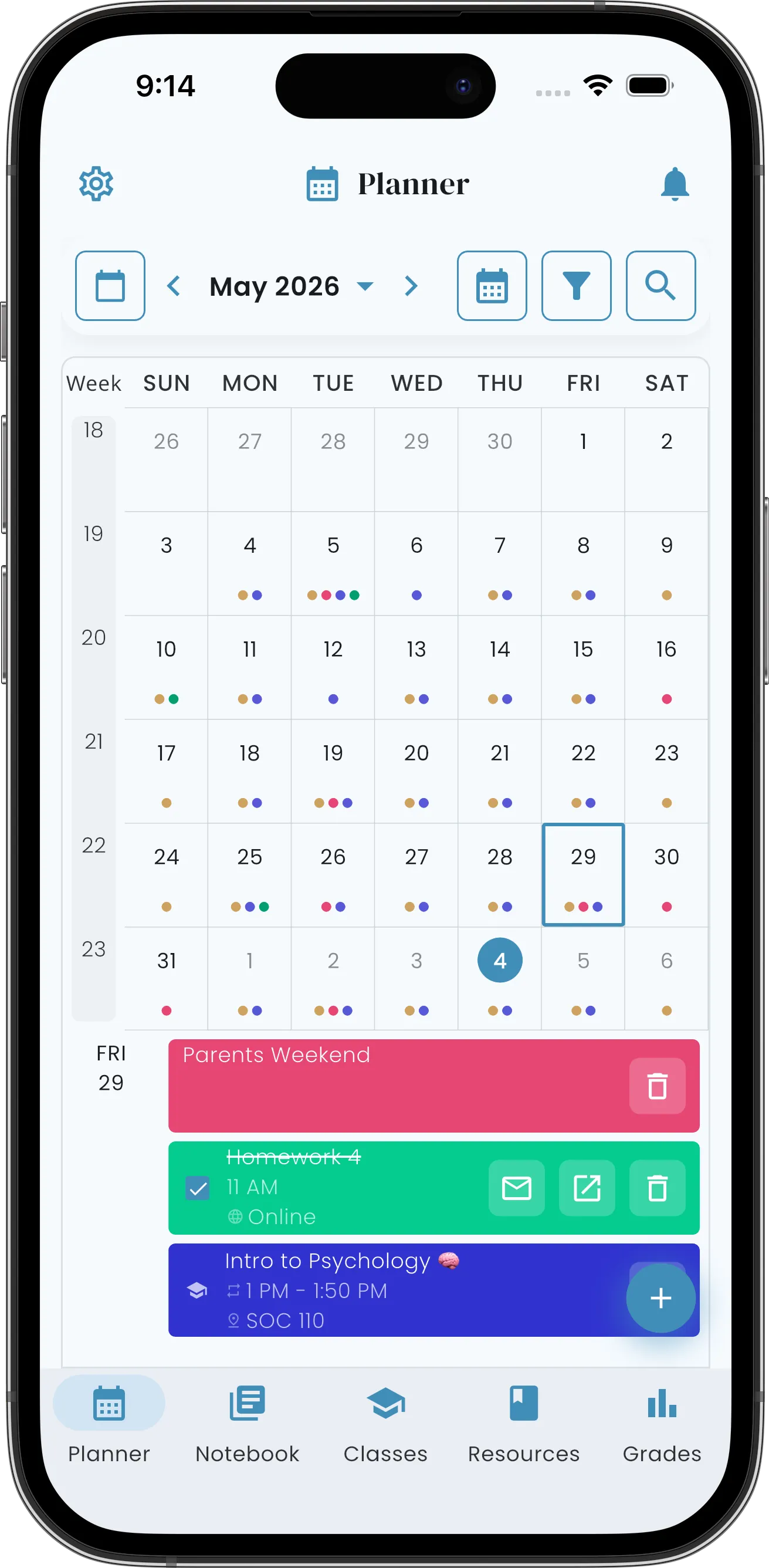
Same schedule, in your pocket. Sign in once and your data follows you across every device.


Not just a planner. A study buddy that actually helps.
Helium organizes and color-codes your schedule, does the math, and surfaces what matters most — so you can focus on the actual learning.
Built-in Grade Calculator
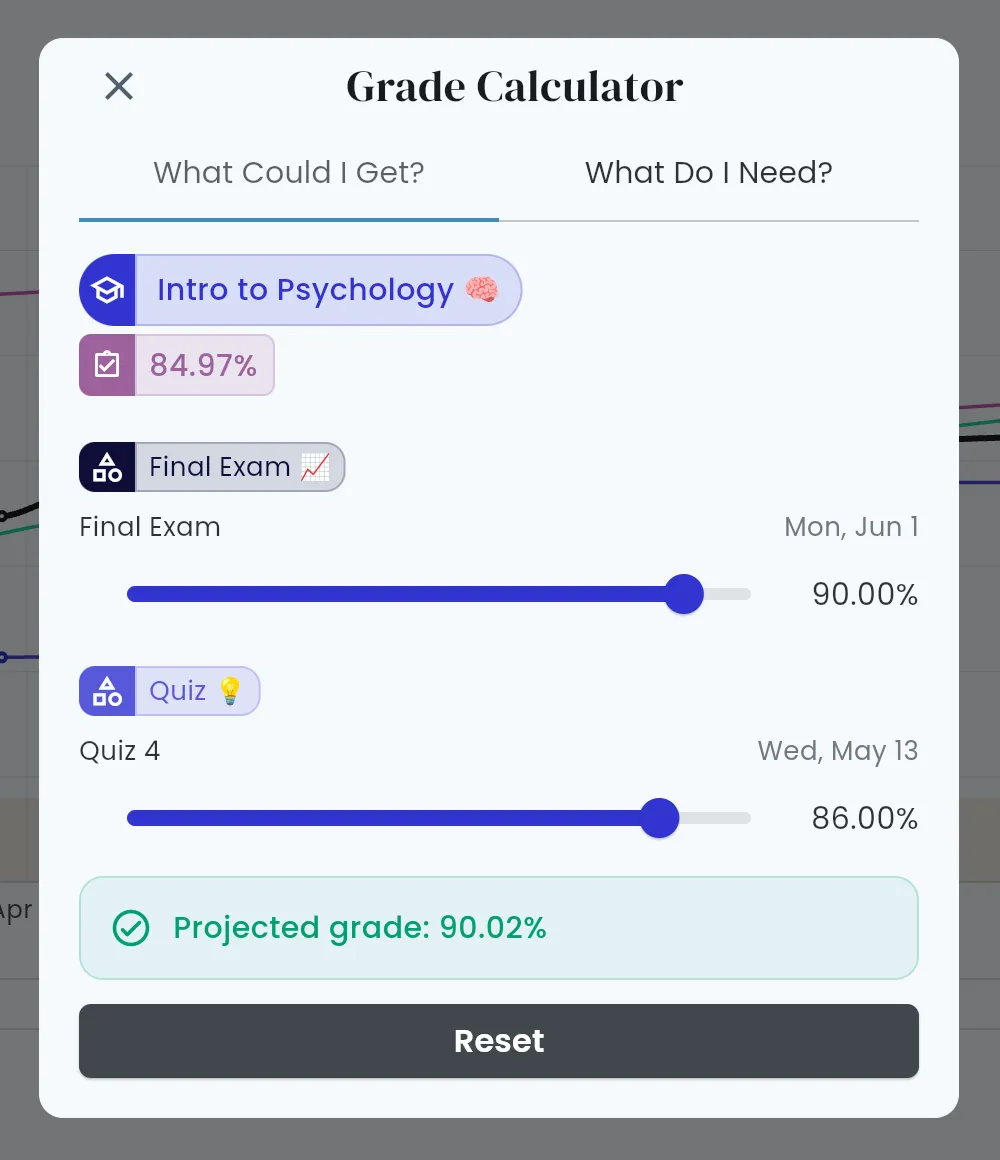
Project your grade with hypothetical scores, or find out exactly what you need on the Final to hit your target.
Shows your pace
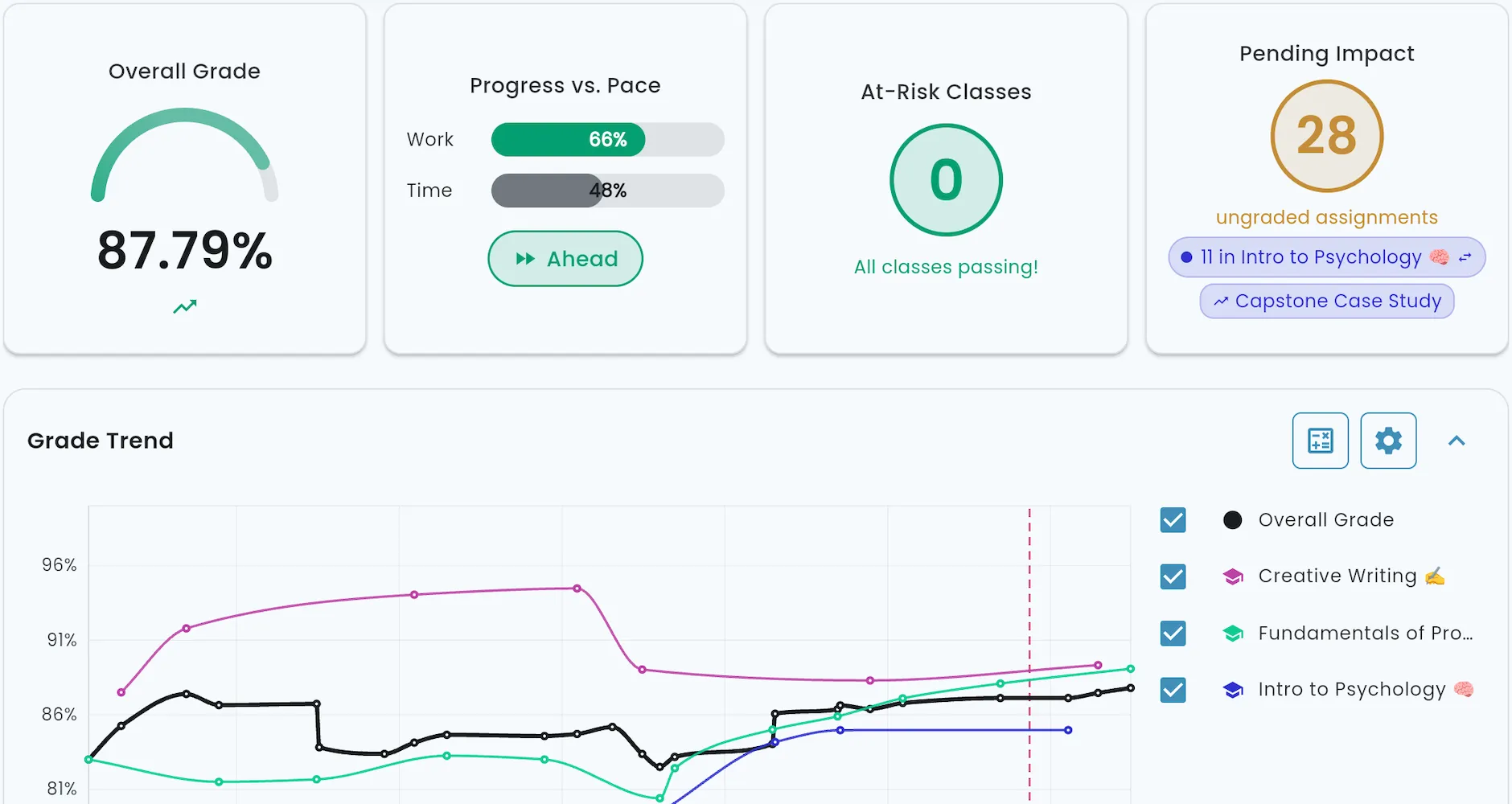
Progress vs. Pace shows whether you're Ahead, On Track, or Behind — work done vs. time elapsed in the term.
Surfaces at-risk classes
At-Risk Classes appear at the top of your dashboard whenever a class slips below the threshold you set.
Nudges, never nags
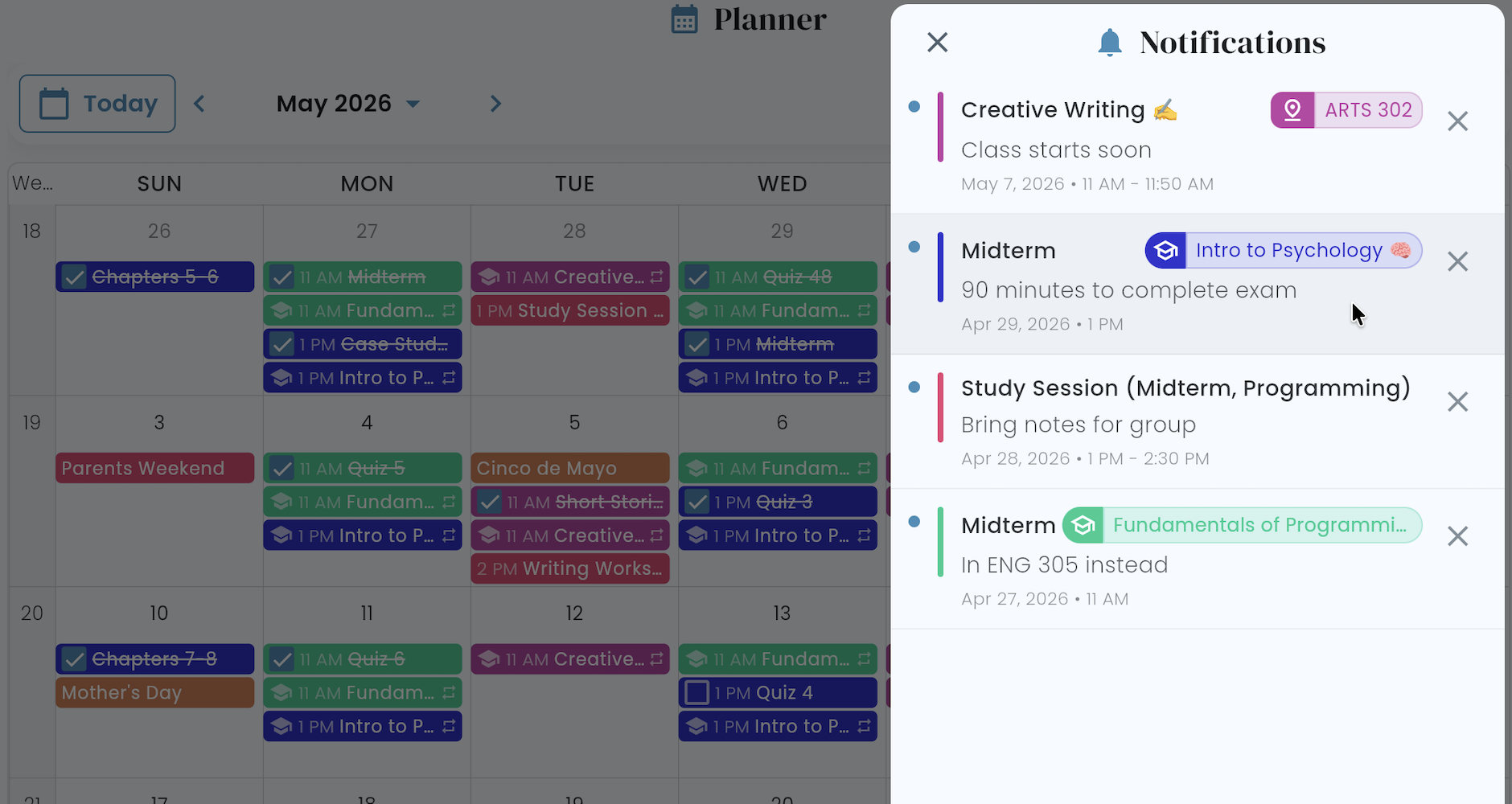
Native push on iOS, Android, and web — or email — before assignments, classes, and exams sneak up.
Syncs in both directions
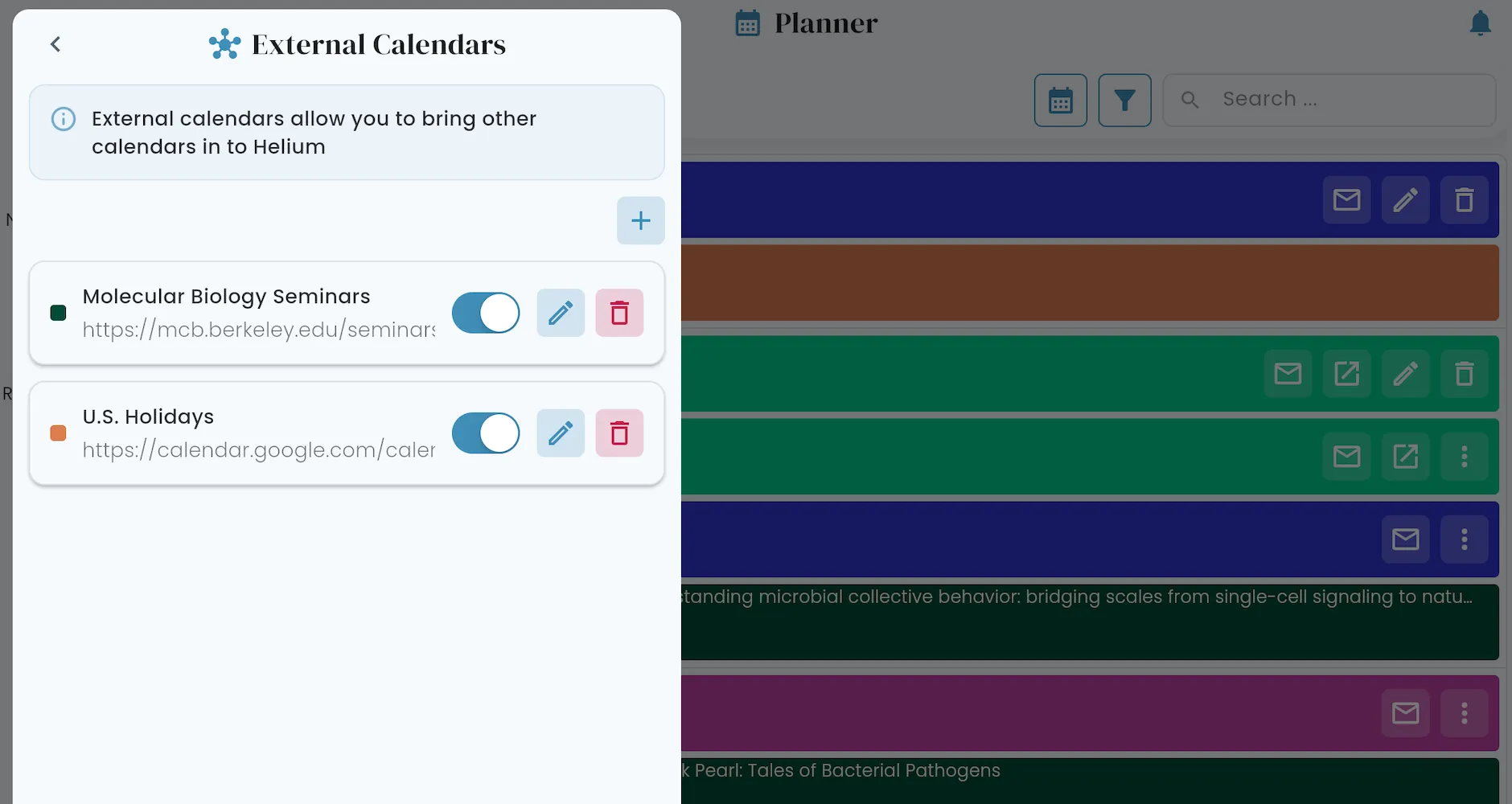
Subscribe to Google, Apple, or any other calendar — it shows up in Helium. Or share Helium back the other way.
Travels with you
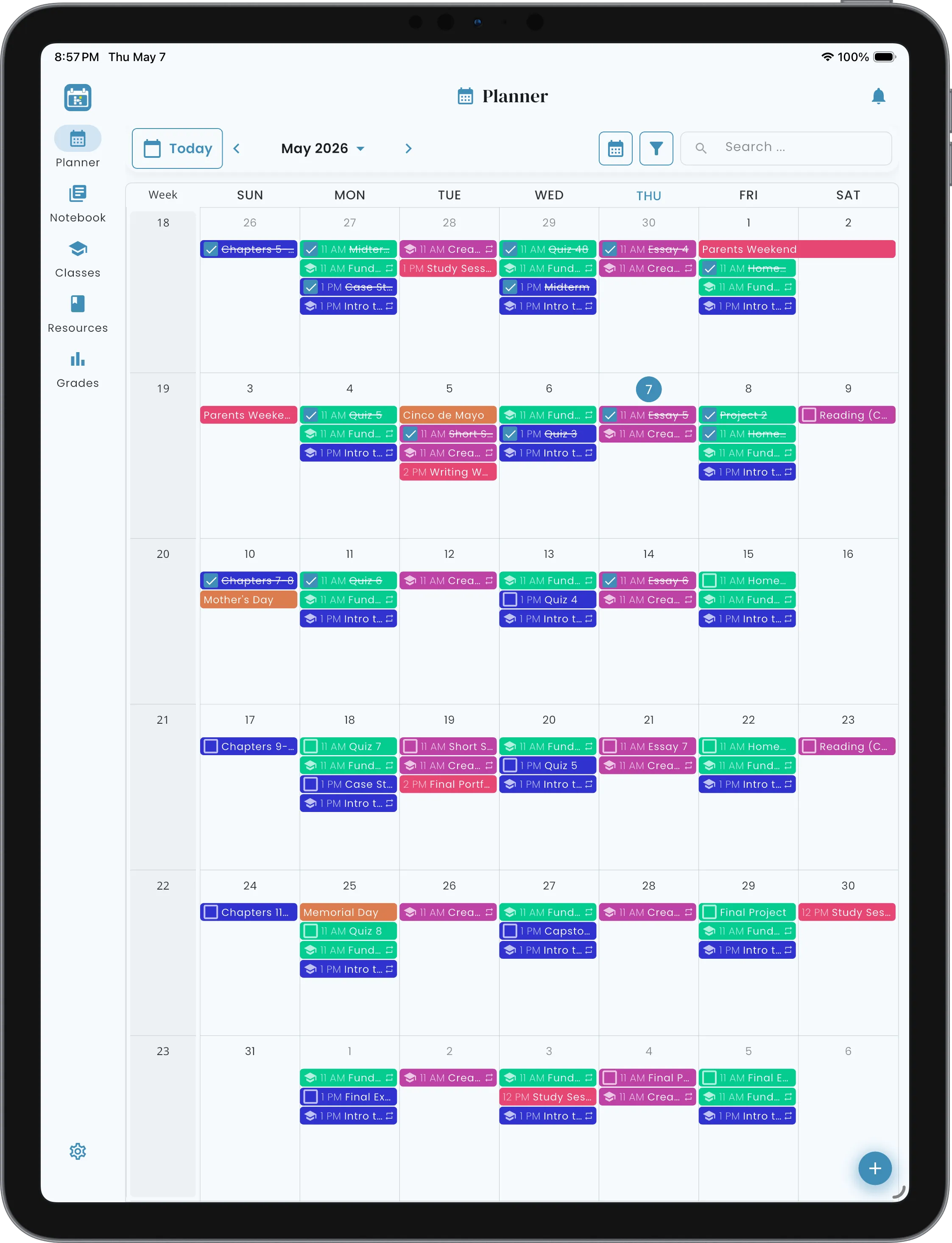
Native iOS and Android apps. Web in any browser. Your schedule stays in sync on every device.
From zero to organized in no time.
Just four quick moves and you're on track for the whole term.
-
Sign up
Use Google, Apple, Microsoft, or any email and password to create an account.
-
Add classes & assignments
Walk through your syllabi once: classes, schedules, assignments, due dates, rubrics. Helium takes it from there.
-
Track assignments & grades
Mark things done and enter your grades as the term rolls along. Helium calculates everything — class, category, term — and shows you exactly where you stand.
-
Stay ahead
Trust Helium to nudge you before things sneak up. When you sit down to study, glance at At-Risk Classes and use the Grade Calculator to help target what might need more focus.
Smart Calendars
One planner. Every view.
The Home Base.
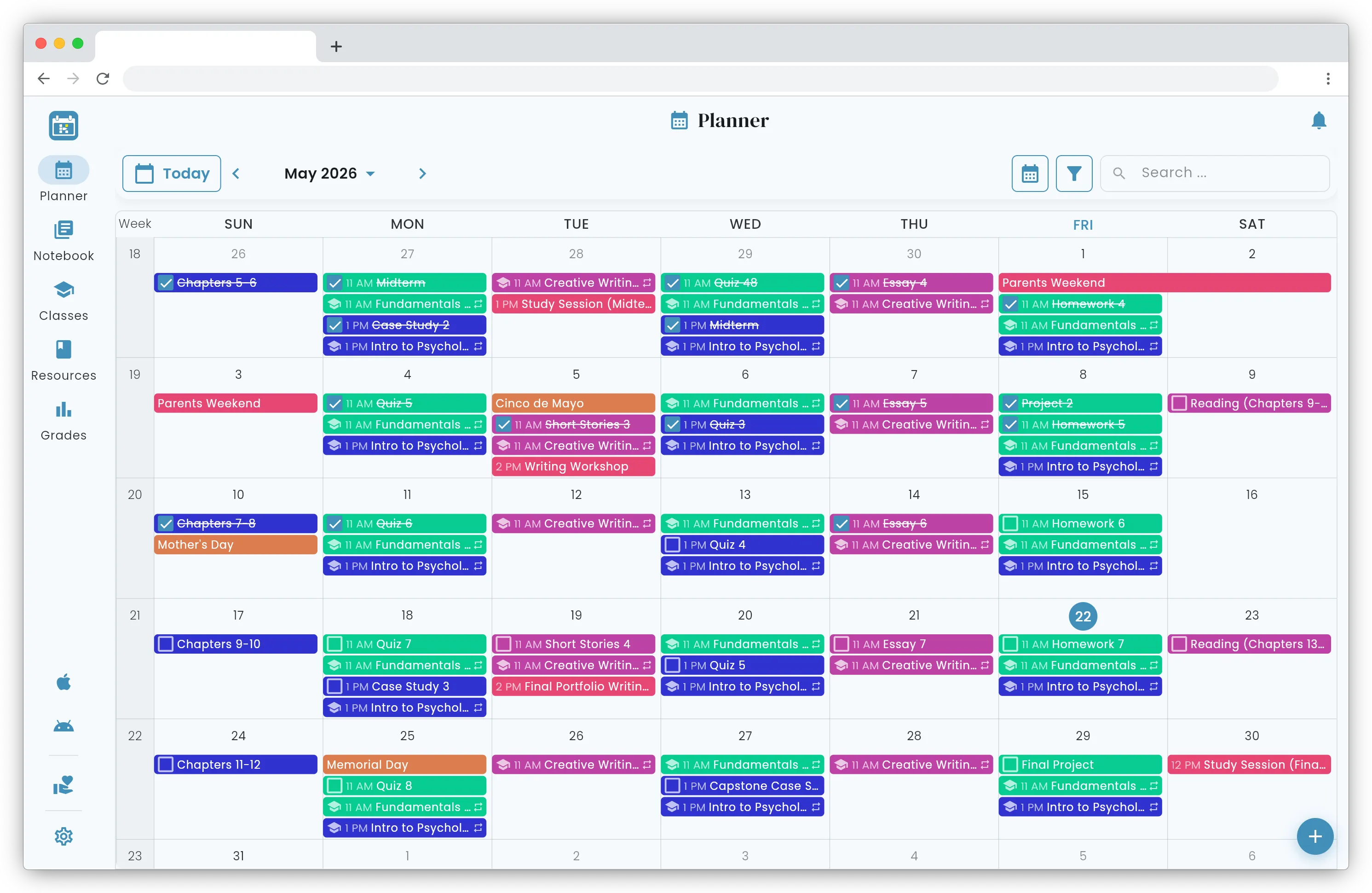
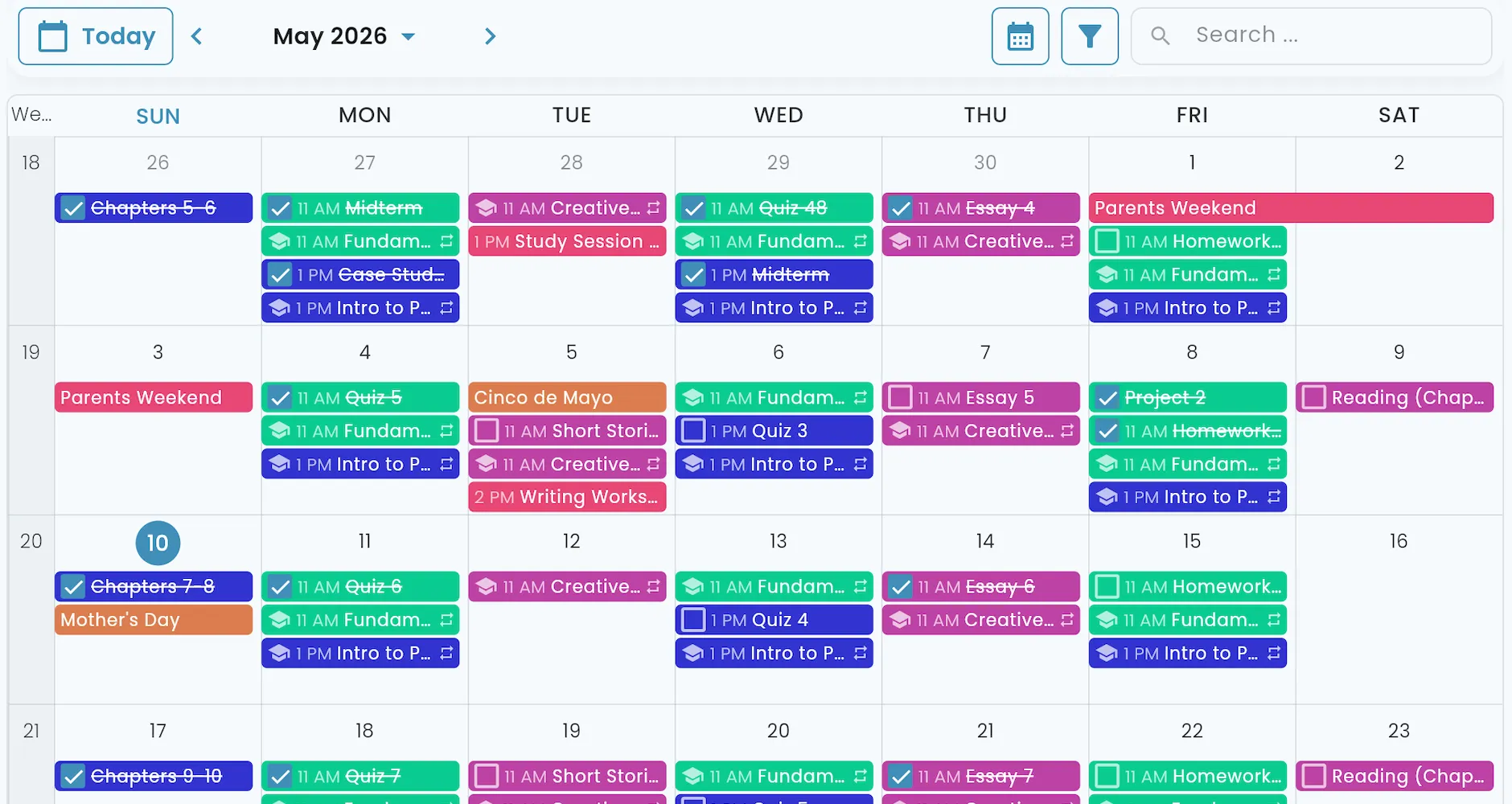
Your schedule shouldn't be scattered across apps, a stack of syllabi, and sticky notes on your laptop. Helium keeps your classes, assignments, and personal events in one color-coded Planner. Use Month for the long horizon, Week for the academic rhythm, Day for what's right in front of you, Agenda when you need your schedule listed.
Pick your own colors — by class, by assignment type, and more — and toggle between Light and Dark mode. Filter or search to drill into a busy view. Everything you need to stay sharp.
Your personal calendar still has its place. Pull in Google, Apple, or any iCal source alongside your Helium schedule — or push Helium back the other way.
Live Grade Tracker & Calculator
Know your grade, and know what's next.
The Bottom Line.
Done with the spreadsheet? Us too. Helium recalculates your grades in real time — by class, by category, and across the whole term — however your professor grades. The dashboard surfaces your overall grade, At-Risk Classes, Progress vs. Pace, and Pending Impact (where your ungraded work is piling up) at a glance, so you always know where your attention is most needed next.
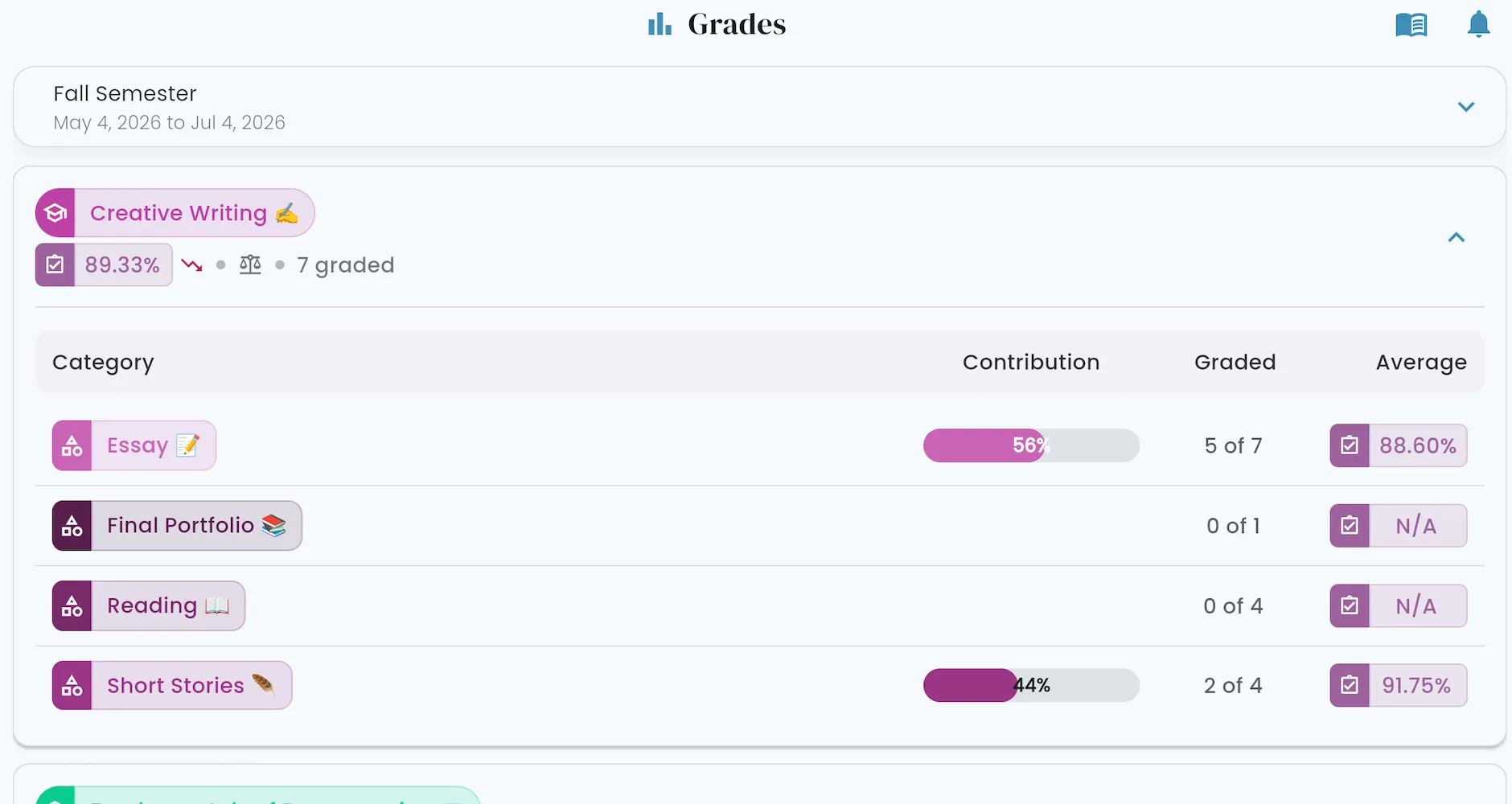
Drill down into any class to see how every category contributes — essays, quizzes, labs, exams — and precisely where the points are coming from. The built-in Grade Calculator goes further: drag sliders to set hypothetical scores and see your projected grade with (What Could I Get?), or enter a target grade to find out exactly what you need on the Final with (What Do I Need?).
Rich Notebook
Notes that know what they're about.
The Backstory.
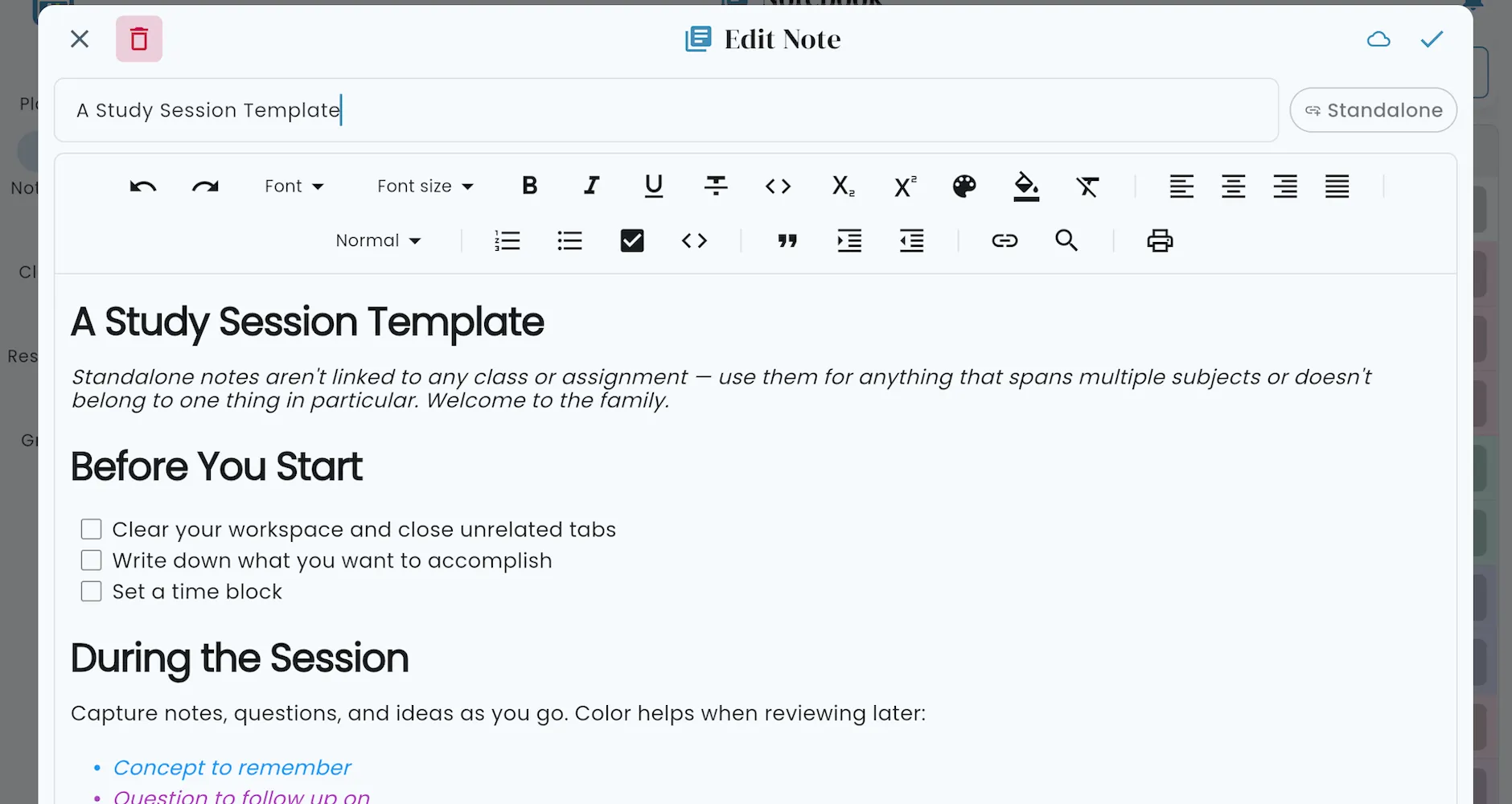
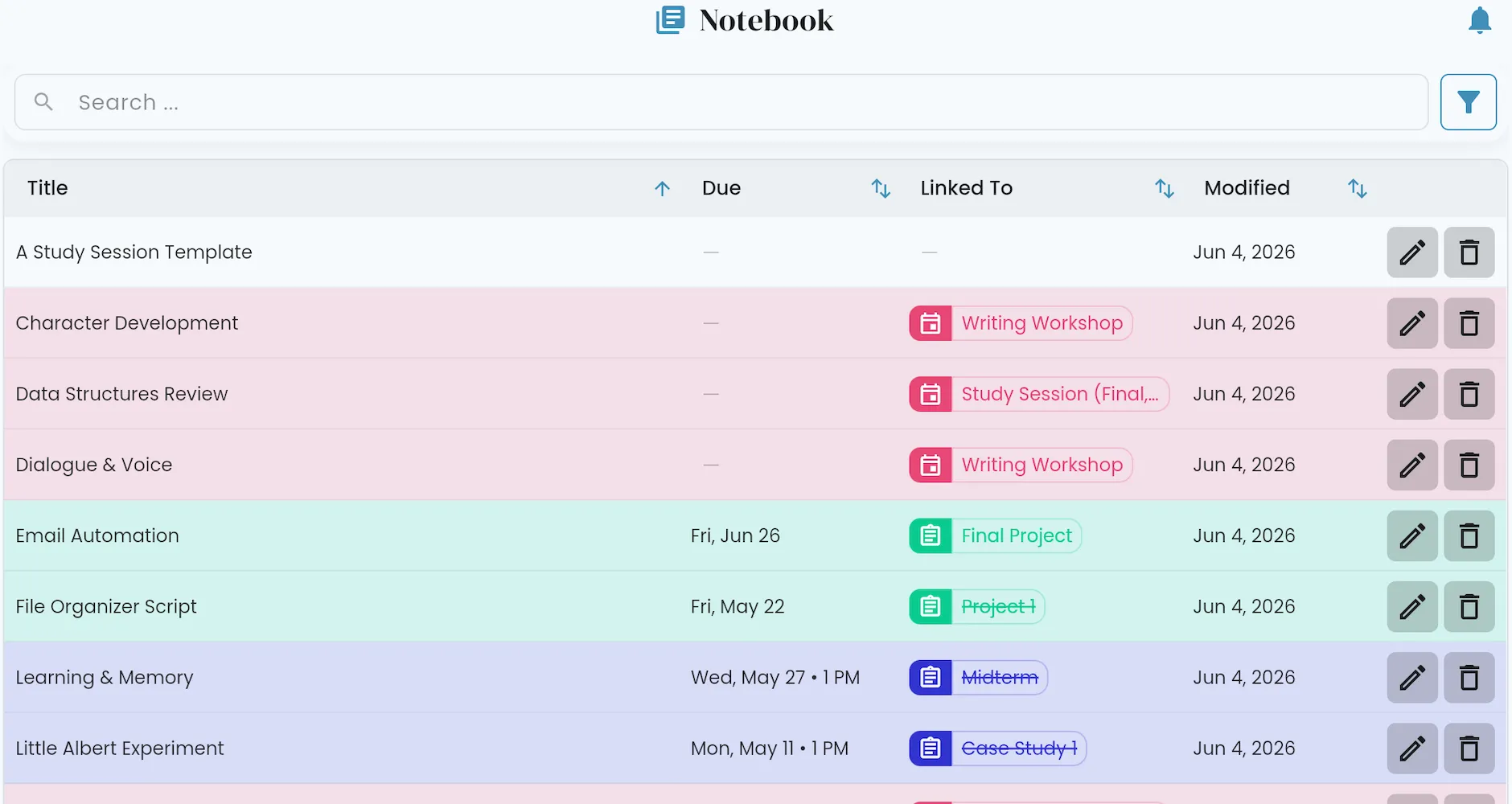
Keep notes on anything in Helium — and each one knows what it's about, so the rubric, the lecture summary, or the half-written outline is always one click away from what it relates to. Need to draft a paper or jot down lecture notes that aren't tied to anything yet? Standalone notes let you capture that too.
Notes can be formatted just like you would a doc — headings, lists, quotes, and links — so they read the way you think. Search across everything you've written, print when you need a hard copy.
At-a-Glance Schedules
Your day-to-day, hour by hour.
The Brass Tacks.
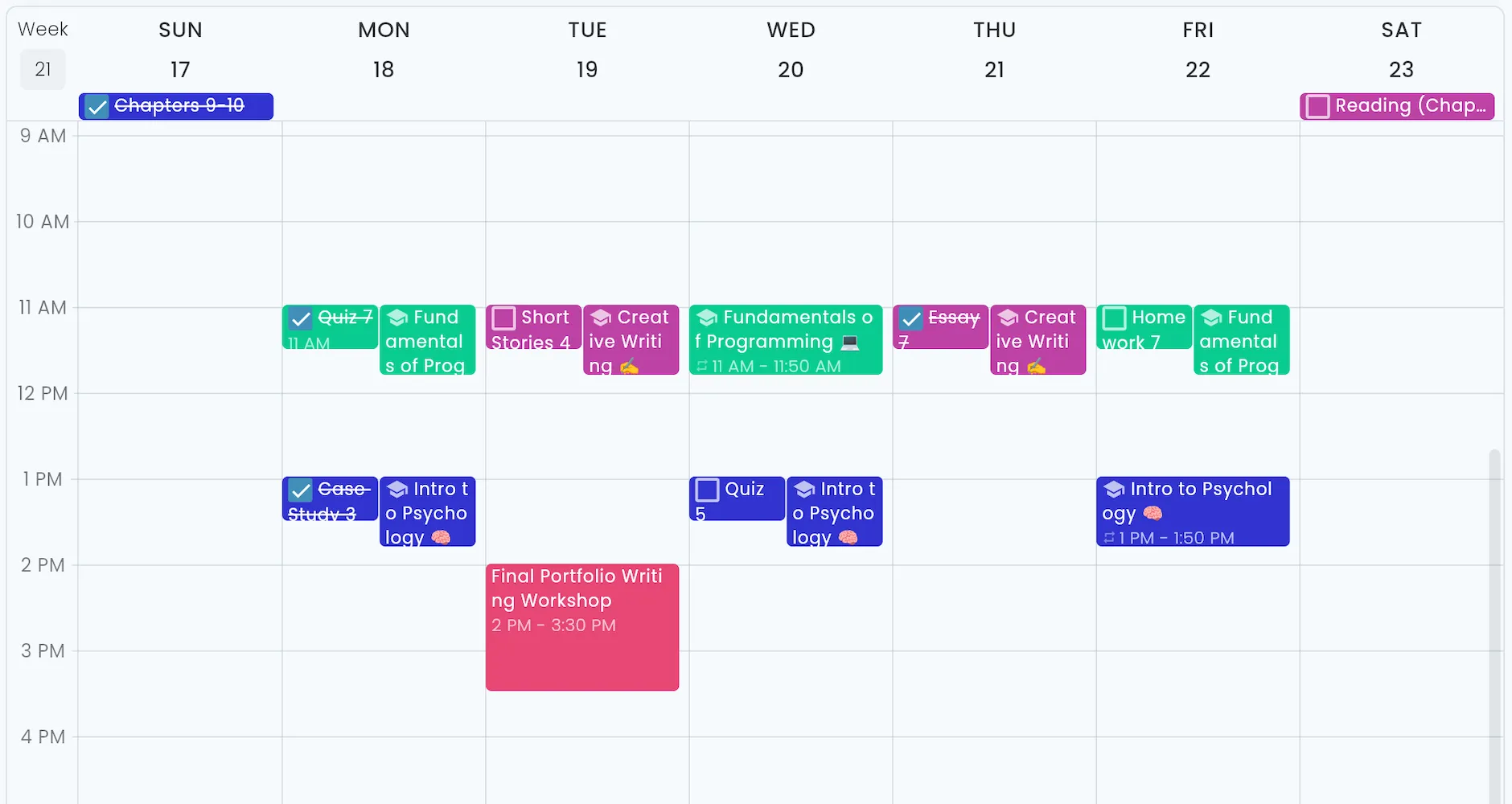
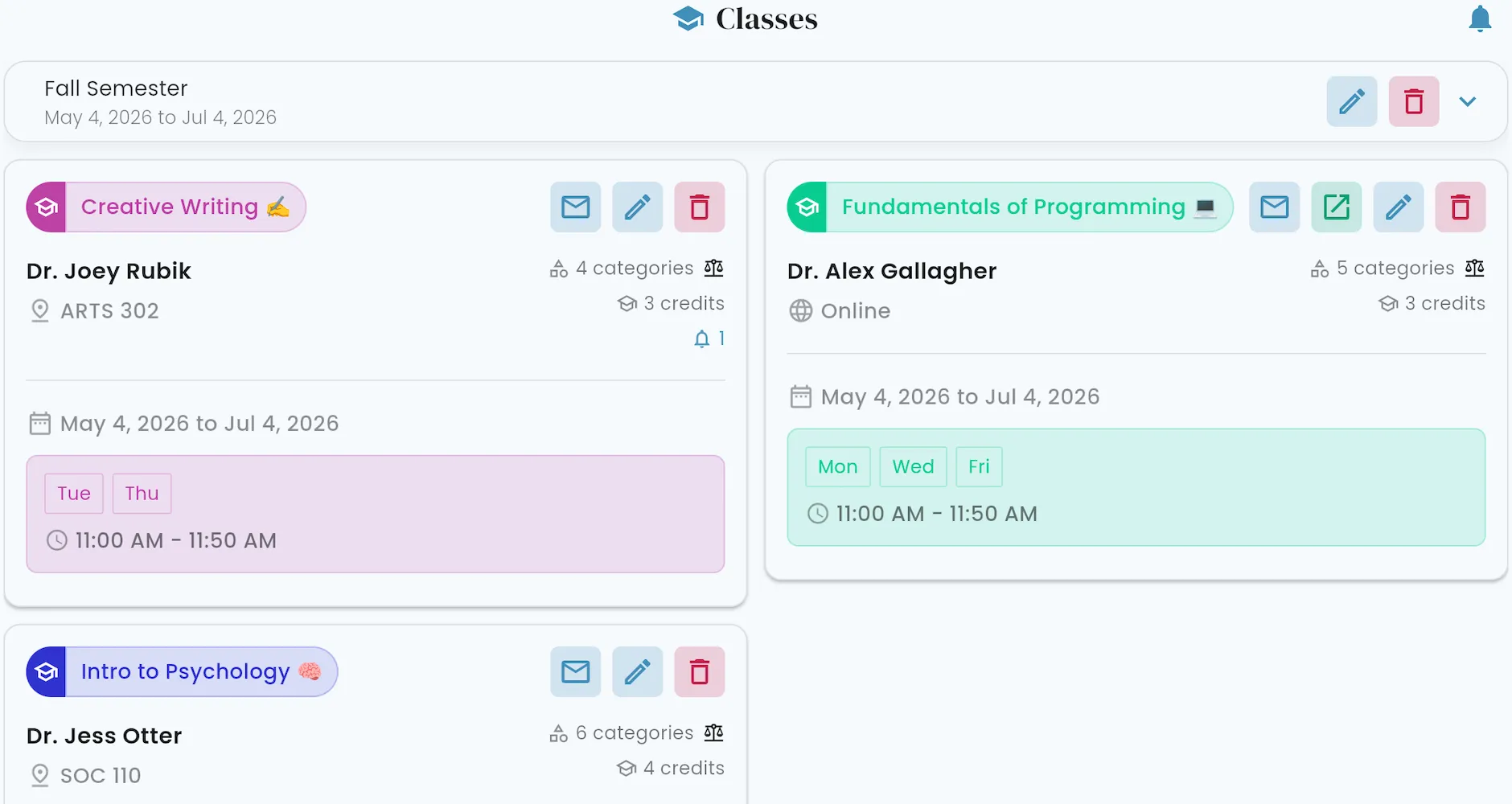
Zoom in to your week, hour by hour. Class meetings are time-blocked — even when that varies, like a Friday lab that runs longer than Tuesday's lecture, Helium handles it.
Assignments show up when they're due, so a glance at tomorrow morning tells you what you're walking into. Drag and drop to shift things around when plans inevitably change, and check off completed assignments right from the calendar.
Need more info on Wednesday's class, room number, teacher's email, or a refresh on the grading scale? Details are always just a click away.
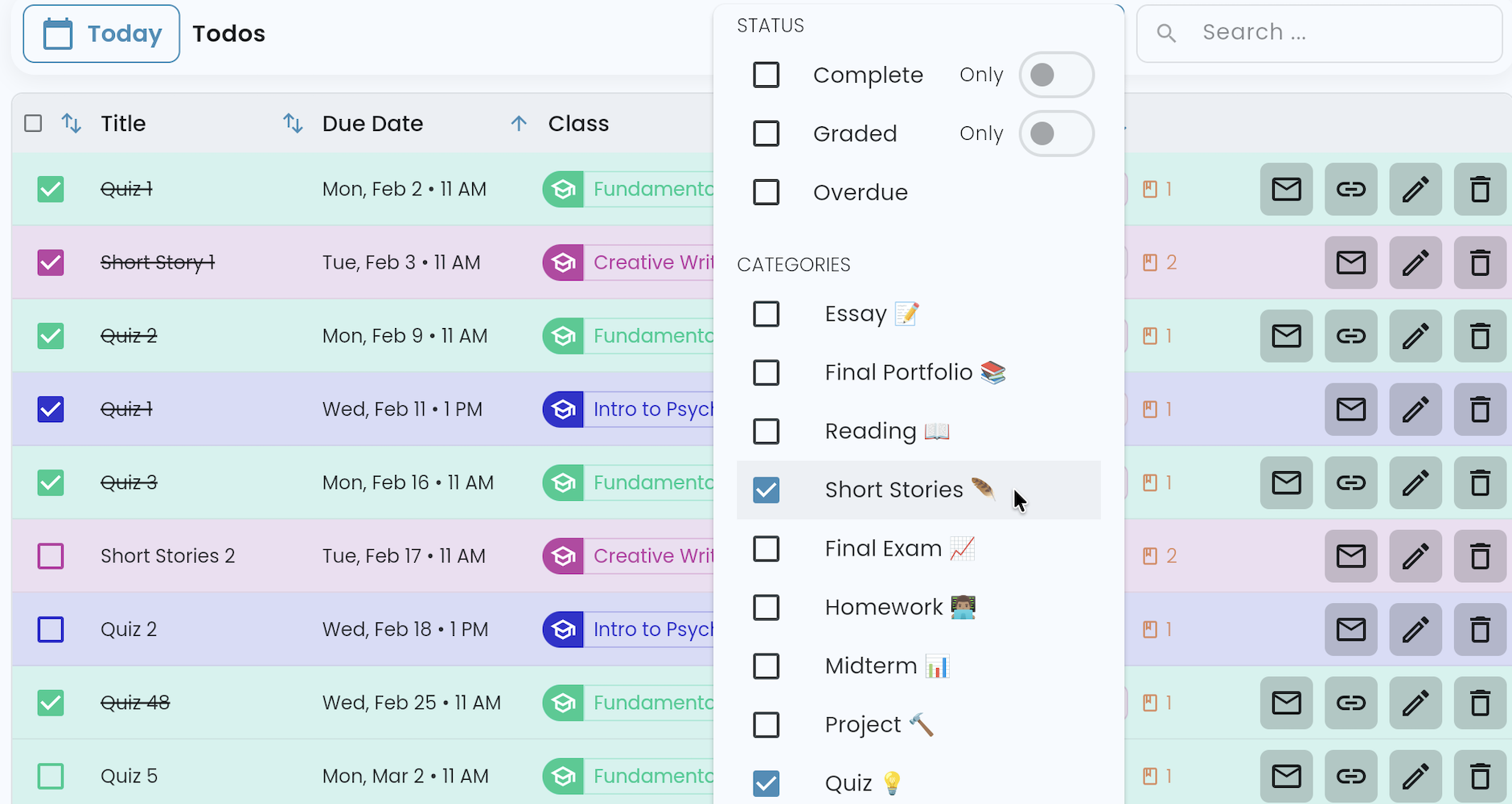
Todos View
When the calendar isn't the right layout.
The Nuts & Bolts.
Detailed Assignment Planner
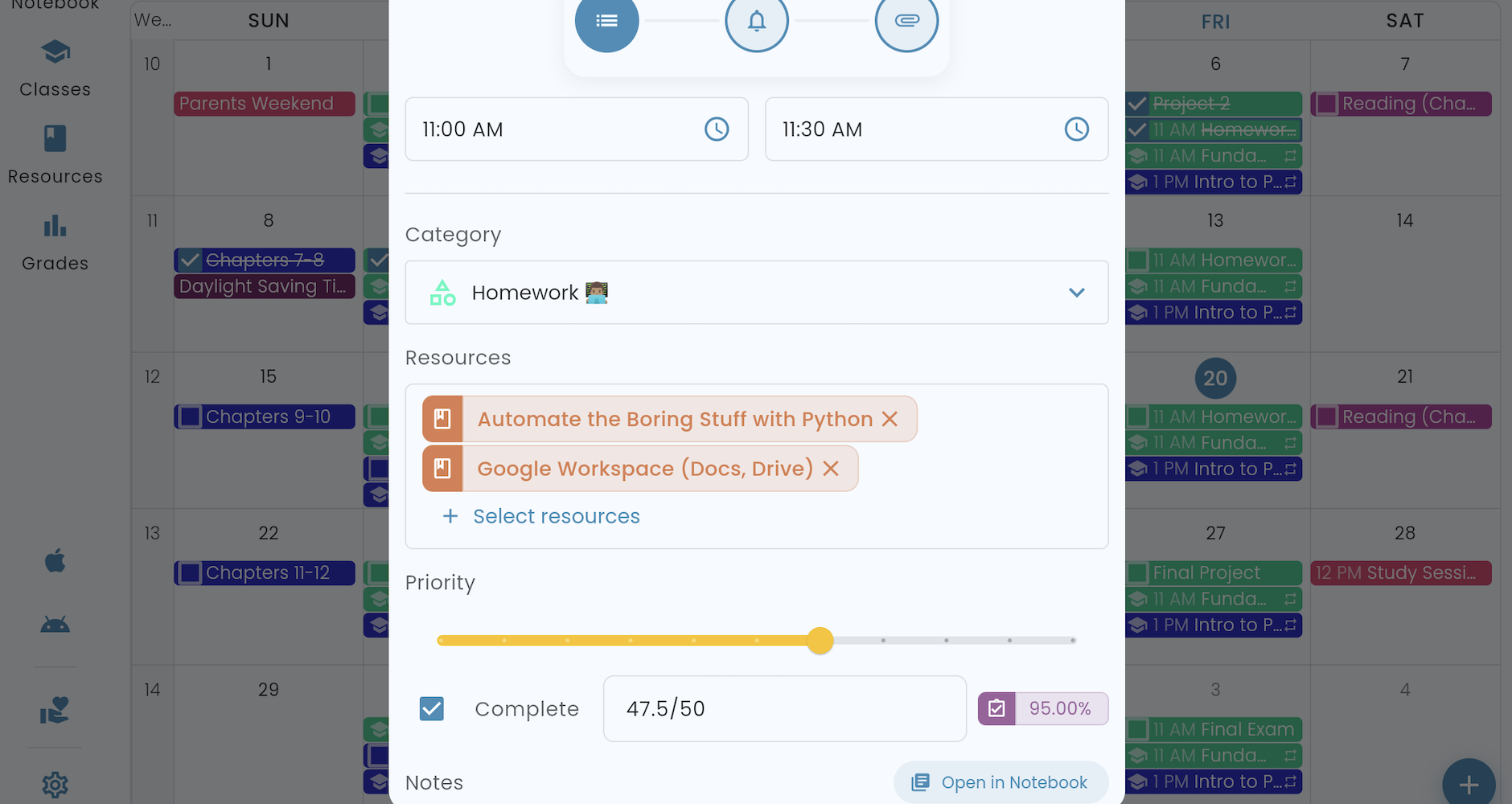
Every detail. One place.
The Nitty Gritty.
A title and a due date is enough for a quick to-do. Class, category, priority, Reminders, Attachments like the rubric, formatted Notes, and linked Resources are all there when a capstone project or exam deserves more thought.
Increase a paper to a higher priority and it floats to the top of your Todos view. Link the textbook chapter to the reading and the right materials are one click away when you sit down to work. For a weekly assignment, create it once, then clone it and reuse its template for the rest of the term.
Reminders
Helpful, never noisy.
The Heads-Up.
FAQs.
-
Is Helium free?
Yes. A passion project, free for everyone. Supporters like you are what make that possible, covering real costs like hosting and app store fees.
Helium is also open source on GitHub — technical contributors welcome if you'd like to help out.
-
Does Helium have ads or share my data?
No ads, no data sales. Helium is open source funded entirely by Patreon supporters — keeping it free, ad-free, and yours. -
Is Helium for every academic level?
Yes. Middle school, high school, college, university, grad school, homeschool — Helium fits every kind of student. -
What devices can I use Helium on?
Helium has native apps for iOS and Android, plus a web app that runs in any modern browser. Sign in once and your schedule comes with you to every device. -
Can I use my Google, Apple, or Microsoft account?
Yes. Sign in with your existing Google, Apple, or Microsoft account — no separate password to manage. Email and password sign-in is also available if you prefer. -
Can I bring my Google or Apple calendar into Helium?
Yes. Subscribe to your Google calendar, your Apple calendar, your school's calendar, or any other calendar. External Calendars show alongside your Helium schedule. -
Can I send Helium's calendar to other apps?
Yes. Helium's Feeds let you share private calendars of your events, assignments, and class schedules with Google Calendar, Apple Calendar, or any other calendar app. -
Can I take my data with me, or import it from another app?
Always. Export your full schedule as JSON — classes, grades, notes, events, reminders — anytime. The same format powers Helium's import, so you can migrate from another planner, restore a backup, or build an integration that automatically imports from a syllabus or course outline. Our import guide has more information, and the API docs are where the magic happens. -
How do I get help with Helium?
Visit our support portal for app help — knowledge base articles, FAQs, and a way to get in touch. -
I'm a Helium Classic user. What happens to my account?
Helium Classic will remain available until July 31, 2026. Your data syncs seamlessly between Classic and the new Helium, so you can transition whenever you are ready.